I’ve watched billions of passwords leak onto the dark web over the last decade. Here’s the ugly truth: your favorite password—yes, even the one with the uppercase letters, numbers, and random symbols you painstakingly memorized—is effectively useless on its own. Credential stuffing scripts run through millions of combinations a second. If you rely on a single string of characters to protect your bank account, your retirement fund, or your digital storefront, you aren’t playing defense. You’re just waiting to get cleaned out.
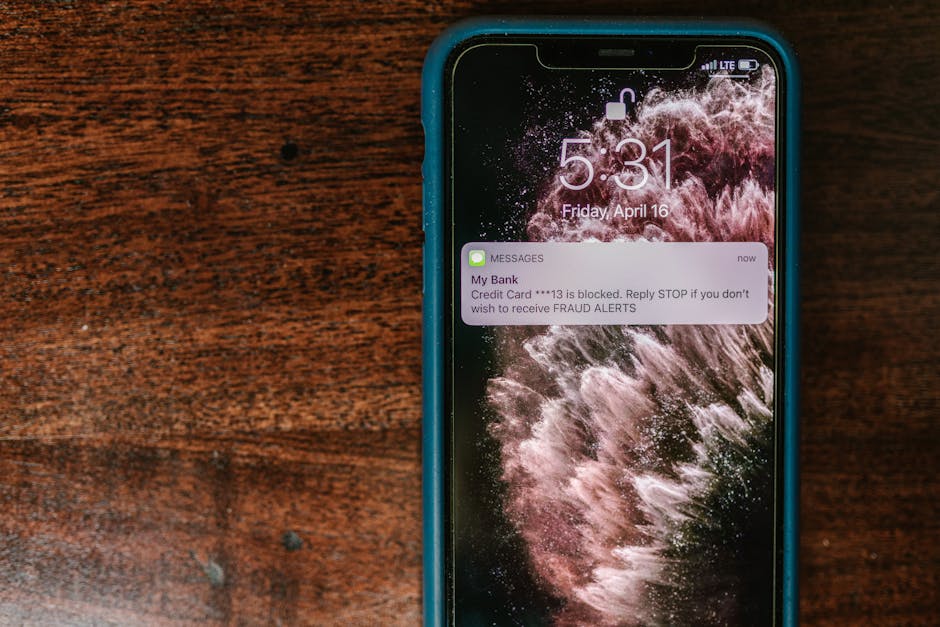
Trust me on this: Two-Factor Authentication (2FA) is the bare minimum requirement for survival in today’s digital economy. But not all 2FA is built equal. Some methods give you a false sense of security while leaving your back door wide open. Let’s pull back the curtain and look at how 2FA actually works, where it fails, and how to lock down your online transactions for good.
- • Anatomy of a Breach: Why Passwords Fail Online Transactions
- • Demystifying the Mechanics of 2FA: Layers That Matter
- • SMS vs. Authenticator Apps: The Good, the Bad, and the Vulnerable
- • The Gold Standard: Hardware Tokens and Phishing Resistance
- • Best Practices for Bulletproof Online Transactions
- ↳ What happens if I lose my phone with my authenticator app?
- ↳ Is biometric authentication safer than a PIN code?
- ↳ Why do some websites not offer hardware key support?
- ↳ Can malware bypass two-factor authentication?
Key Takeaways & Quick Overview
AI Verified
- ✔I’ve watched billions of passwords leak onto the dark web over the last decade.
- ✔Here’s the ugly truth: your favorite password—yes, even the one with the uppercase letters, numbers, and random symbols you painstakingly memorized—is effectively useless on its own.
- ✔Credential stuffing scripts run through millions of combinations a second.
- ✔If you rely on a single string of characters to protect your bank account, your retirement fund, or your digital storefront, you aren’t playing defense.
Anatomy of a Breach: Why Passwords Fail Online Transactions
Back in the early days of the internet, a password was a digital front door key. Today, it’s more like a paper sign taped to a screen door that says “please don’t enter.” Data breaches happen daily. According to the Cybersecurity and Infrastructure Security Agency, the vast majority of successful cyber attacks originate from compromised credentials. Hackers don’t need to guess your password anymore; they just buy it for three dollars on an underground marketplace.
When you initiate an online transaction—whether you’re transferring funds to a vendor or buying equipment for your business—you are broadcasting value. Cybercriminals know this. They intercept traffic, deploy keyloggers, and execute phishing campaigns designed to scrape your session cookies. If your defense stops at the login screen, you’ve already lost. That is precisely why multi-layered verification protocols transformed from an optional feature into a strict financial imperative.
Demystifying the Mechanics of 2FA: Layers That Matter
What actually makes 2FA work? It relies on combining two distinct categories of authentication factors:
- Something you know: A password, a PIN, or the answer to a specific security prompt.
- Something you have: A physical device, an SMS code, an authenticator app, or a hardware security key.
- Something you are: Biometric markers like a fingerprint or facial geometry.
To break through a properly implemented 2FA system, an attacker cannot just steal your password from a leaked database. They physically or digitally have to intercept your second factor at the exact moment of the transaction. That changes the math entirely. It raises the cost of the attack so high that most casual scammers simply move on to easier targets.

However, the devil is in the implementation details. Not every second factor offers the same resistance against sophisticated threats. We need to separate the robust tools from the security theatre.
SMS vs. Authenticator Apps: The Good, the Bad, and the Vulnerable
Let’s talk about SMS text messages. I despise them as a security measure, yet banks and financial institutions still push them on millions of users every single day. Why? Because it’s convenient. It requires zero technical literacy from the end-user.
Here’s why SMS is a ticking time bomb for safe online transactions: SIM swapping. Criminals call your mobile carrier, impersonate you, and port your phone number over to a device they control. Suddenly, your verification codes go straight to the hacker. Furthermore, Signaling System 7 (SS7) vulnerabilities allow bad actors to intercept cellular traffic globally. If your bank uses SMS 2FA, you are living on borrowed time.
What should you use instead? Time-based One-Time Password (TOTP) apps like Google Authenticator, Aegis, or Authy. These apps generate rolling six-digit codes locally on your device every thirty seconds using an algorithmic seed shared only between you and the service provider. No cellular network is involved. No hacker can intercept the code via a phone call spoof. It is faster, cleaner, and infinitely safer.
The Gold Standard: Hardware Tokens and Phishing Resistance
If you run high-volume transactions or hold significant digital assets, standard TOTP apps still leave a tiny attack vector open: sophisticated adversary-in-the-middle phishing pages. A clever scammer can build a fake banking portal that mimics the real one, prompts you for your password, asks for your TOTP code, and immediately logs into your real account using your credentials.
How do we beat that? FIDO2 and WebAuthn hardware keys, such as a YubiKey. These physical keys rely on public-key cryptography. When you plug the key in or tap it against your phone, it binds the authentication challenge directly to the exact domain you are visiting. If you are on a phishing site like `bank-secure-login.com` instead of `bank.com`, the hardware key refuses to sign the authentication request. Game over for the phisher.
According to guidelines from the National Institute of Standards and Technology, cryptographic hardware authenticators represent the pinnacle of modern identity verification. They eliminate shared secrets entirely, meaning there is nothing on a remote server for a hacker to steal.
Best Practices for Bulletproof Online Transactions
Implementing 2FA isn’t a “set it and forget it” chore. It requires active hygiene. Follow these rules if you want to keep your funds where they belong:
- Audit your accounts today: Go through every financial, email, and merchant account you own. If SMS is your only 2FA option, upgrade to an app or hardware key immediately.
- Store backup codes offline: Every service gives you recovery codes when you enable 2FA. Print them out or write them down on a physical piece of paper stored in a secure location. Never save them in a plain text file on your desktop.
- Secure your email first: Your email is the master key to your digital kingdom. If someone breaches your email, they can reset the passwords and 2FA settings for every other service you use. Protect your primary inbox with a hardware key first.
Security is a process, not a product. By upgrading how you handle two-factor authentication during online transactions, you transform yourself from low-hanging fruit into an uncrackable vault.
Frequently Asked Questions
What happens if I lose my phone with my authenticator app?
This is why backup methods are critical. When you set up an authenticator app, the service always provides recovery codes or prompts you to link multiple devices. If you lose your phone and have no backup codes, you will have to go through your provider’s manual identity verification process, which can take days.
Is biometric authentication safer than a PIN code?
Biometrics (fingerprints or face scans) are generally safer than short PINs because they cannot be easily shoulder-surfed or guessed. However, remember that biometrics are identifiers, not secrets. If compromised, you cannot change your fingerprint the way you can change a password.
Why do some websites not offer hardware key support?
Implementation costs and user experience friction. Many legacy financial institutions are slow to update their infrastructure to support modern web standards like WebAuthn, prioritizing simplicity over advanced cryptographic security—much to the detriment of their users.
Can malware bypass two-factor authentication?
Yes. If your computer is infected with advanced session-hijacking malware, a cybercriminal can steal your active session cookie *after* you have successfully logged in with your 2FA code. This is why maintaining clean device hygiene and using endpoint protection is just as important as enabling 2FA.