How to Spot Fake Digital Banking Websites Before Logging In Guide
I’ve tracked cybercriminals across dark web forums for over a decade, and I’ll tell you something most cybersecurity blogs won’t: the hackers aren’t getting smarter; they are just getting lazier because we keep making it easy for them. Last Tuesday, I watched a freshly deployed clone of a major regional bank go live in less than twenty minutes. It had the exact CSS stylesheets, the exact high-res logo pulled straight from their corporate press kit, and an SSL certificate that looked as legitimate as the one guarding your health insurance portal. If you aren’t looking at the right pixels, you’re walking straight into a digital trap. Let’s pull back the curtain on how these traps are laid and how you can spot them before typing a single character of your password.

- • The Anatomy of a Phishing Domain: Look Past the Lock Icon
- • Deconstructing the Page Source: Why Visual Clues Fail
- • The Danger of Malicious Redirects and Search Engine Poisoning
- • What to Do If You Land on a Suspicious Page
- ↳ Can a fake banking website steal my money without me entering my password?
- ↳ Why do password managers fail to work on fake banking sites?
- ↳ Are mobile banking apps safer than mobile browser banking?
- ↳ What should I do if I accidentally typed my credentials into a fake bank site?
Key Takeaways & Quick Overview
AI Verified
- ✔How to spot fake digital banking websites before logging in guide i’ve tracked cybercriminals across dark web forums for over a decade, and i’ll tell you something most cybersecurity blogs won’t: the hackers aren’t getting smarter; they are just getting lazier because we keep making it easy for them.
- ✔Last tuesday, i watched a freshly deployed clone of a major regional bank go live in less than twenty minutes.
- ✔It had the exact css stylesheets, the exact high-res logo pulled straight from their corporate press kit, and an ssl certificate that looked as legitimate as the one guarding your health insurance portal.
- ✔If you aren’t looking at the right pixels, you’re walking straight into a digital trap.
The Anatomy of a Phishing Domain: Look Past the Lock Icon
Here is the single biggest misconception left over from the early 2000s internet: “If it has a padlock, it’s safe.” Stop believing that. I can spin up a free Let’s Encrypt SSL certificate for chase-secure-login-portal-update.com in about forty seconds. That padlock only means the traffic between your browser and the scammer’s server is encrypted. It does not mean the server belongs to your bank. Scammers routinely use encrypted connections to steal your credentials because modern browsers hide the full URL behind simplified search bars and drop-down menus.
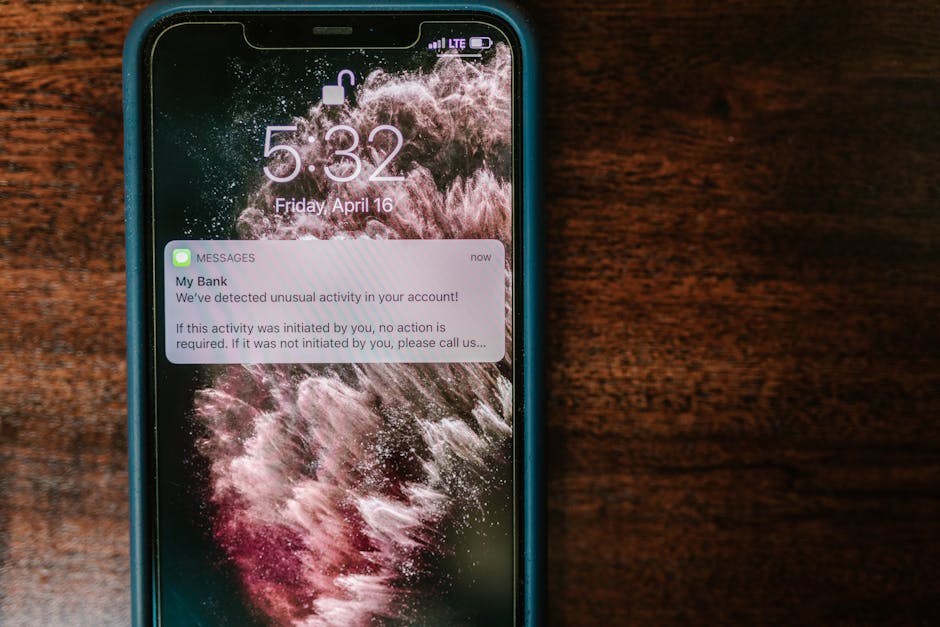
When you get an urgent text message about suspicious activity on your account, your adrenaline spikes. That physiological reaction is what these attackers bank on. They want you moving fast. Slow down. Look at the domain structure with a cynical eye. Look for lookalike characters—punycode tricks where Cyrillic letters replace Latin ones to spell out a domain name that looks identical to the naked eye. If the URL reads anything other than your bank’s established, primary domain (the one printed on the back of your debit card), close the tab immediately. No legitimate financial institution will ever route you to a subdomain hosted on a random cloud provider for a routine login.
Deconstructing the Page Source: Why Visual Clues Fail
I once audited a phishing kit that scraped the live DOM (Document Object Model) of a Tier-1 financial institution in real-time. That means every time the bank updated its layout, the fake site automatically updated too. You cannot rely solely on how the page looks anymore. But here is where they slip up: functionality. Try clicking the “Careers,” “About Us,” or “Investor Relations” links on a rogue login page. Most of the time, those links are completely dead, or they loop right back to the fake login form. Real banks build massive, interconnected digital ecosystems; phishing sites are disposable, single-purpose traps.
Another dead giveaway lives in the address bar’s extended validation details or the lack thereof. While modern browsers have phased out the green company name bars, you can still click that little padlock and inspect the certificate details. Who issued it? Is it a cheap, automated registrar, or a verified enterprise certificate authority? Furthermore, check how the page handles input fields. Does it use proper password masking? Do your password manager browser extensions autofill the credentials? If your password manager—whether it’s 1Password, Bitwarden, or your built-in keychain—refuses to autofill, that is not a glitch. That is your browser’s security heuristic telling you the domain doesn’t match the saved record.
The Danger of Malicious Redirects and Search Engine Poisoning
You might think you’re safe because you didn’t click a link in a sketchy email. Think again. Scammers regularly buy sponsored ad slots on search engines like Google and Bing. When you type “login to [Bank Name]” into the search bar, the very first result at the top of the page—marked with a tiny, easy-to-miss “Ad” tag—is frequently a cloned site designed to harvest your multi-factor authentication (MFA) tokens. I’ve watched agencies spend thousands reporting these malicious ads, only for the scammers to pop up under a new shell company hours later.
This is why bookmarking is non-negotiable. If you care about your personal finances, you should never type your bank’s name into a search engine to log in. Save the verified URL directly to your browser’s bookmark toolbar. If you must use a search engine, bypass the sponsored results entirely and look at the organic URL structure underneath the headline. According to recent threat intelligence data shared by the Cybersecurity and Infrastructure Security Agency, search engine optimization (SEO) poisoning remains one of the most effective vectors for compromising corporate and personal accounts alike. Pair this awareness with consumer protection insights from the Federal Trade Commission to stay ahead of evolving social engineering scams.
What to Do If You Land on a Suspicious Page
Let’s say you clicked a link, looked at the URL, and your gut screamed “fraud.” What now? First, do not enter anything. Even typing a fake username or testing the waters can sometimes trigger automated scripts that log your IP address, browser fingerprint, and session metadata. Second, clear your cache and cookies if you suspect the site injected malicious tracking scripts. Finally, report the URL to organizations like the Anti-Phishing Working Group (APWG) or Google Safe Browsing so they can get the domain blacklisted before someone else loses their life savings.
The digital banking landscape is convenient, but convenience is the playground of the predator. Treat every login page like a loaded weapon until proven otherwise. Check the URL, test the navigation links, rely on your password manager, and never trust a padlock on its own. Your financial security depends entirely on your paranoia.
Frequently Asked Questions
Can a fake banking website steal my money without me entering my password?
Generally, no. Simply visiting a properly patched browser on a modern operating system will not give a phishing site access to your bank account funds. However, visiting malicious sites can expose you to drive-by downloads or session hijacking if your browser has unpatched vulnerabilities. Always keep your software updated.
Why do password managers fail to work on fake banking sites?
Password managers read the exact domain name of the website you are currently visiting and compare it to the domain name you saved in your vault. If you are on a spoofed domain like b3ank-secure.com instead of bank.com, the manager recognizes the discrepancy and refuses to autofill your credentials, preventing a breach.
Are mobile banking apps safer than mobile browser banking?
Yes, by a significant margin. Official mobile apps downloaded directly from the Apple App Store or Google Play Store use certificate pinning and hardcoded API endpoints, making them much harder for standard phishing campaigns to spoof compared to a flexible web browser.
What should I do if I accidentally typed my credentials into a fake bank site?
Act immediately. Call the phone number on the back of your debit card and speak to the fraud department to freeze your accounts. Change your passwords and PINs from a completely different, verified device, and check your credit reports for unauthorized activity.