How Banking Apps Detect and Freeze Suspicious Account Activity Guide
You’re standing in line at a bodega, tapping your phone to pay for a cold brew, when it happens. Declined. You try again. Nothing. Then, your phone buzzes with a text message that makes your stomach drop: “We’ve temporarily restricted access to your account for your protection. Call us immediately.”
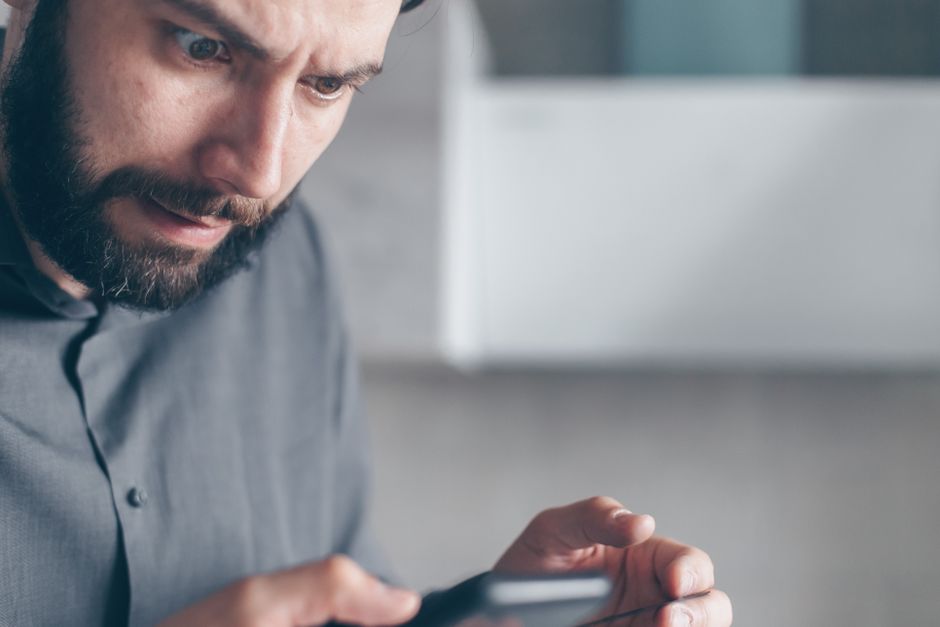
I’ve seen it a hundred times. Panic sets in. You start sweating bullets, wondering if your life savings just vanished to some server farm in Eastern Europe. Here’s the ugly truth: your bank didn’t freeze your account to torment you. They did it because an algorithm hidden deep inside their mobile app sniffed out something that looked terrifyingly abnormal.
Trust me on this—modern bank fraud detection isn’t just about matching zip codes anymore. It is a ruthless, lightning-fast digital panopticon. Let’s pull back the curtain and look at how these systems actually operate, what sets them off, and how to keep yourself out of digital purgatory.
- • The Invisible Watchdog: Behavioral Biometrics and Device Fingerprinting
- • Velocity Checks: When Speed Kills Your Transactions
- • The Geography Trap: GPS, IP Addresses, and Impossible Travel
- • False Positives and the Human Cost of Automation
- ↳ Why did my banking app freeze my account without sending me a text first?
- ↳ Can using a VPN cause my bank account to get locked?
- ↳ How do I unfreeze my bank account fast?
- ↳ Will a frozen account affect my automatic bill payments?
Key Takeaways & Quick Overview
AI Verified
- ✔How banking apps detect and freeze suspicious account activity guide you’re standing in line at a bodega, tapping your phone to pay for a cold brew, when it happens.
- ✔Then, your phone buzzes with a text message that makes your stomach drop: “we’ve temporarily restricted access to your account for your protection.
- ✔” automated security freezes often happen without warning, catching legitimate users entirely off guard.
- ✔You start sweating bullets, wondering if your life savings just vanished to some server farm in eastern europe.
The Invisible Watchdog: Behavioral Biometrics and Device Fingerprinting
Forget the old days of simple password checks and basic two-factor authentication. Today’s banking apps profile you. Literally. Every time you unlock that app and tap around, you leave a trail of behavioral exhaust.
I’ve watched security architects build these systems, and they look at metrics most people don’t even know exist. They track:
- Keen dynamics: How fast you type your PIN.
- Pressure and grip: The physical angle and surface area of your finger on the glass.
- Navigation cadence: Whether you swipe with a fluid motion or jab awkwardly at the screen.
If someone steals your credentials—your username, password, and even your SMS code—they might still get locked out instantly. Why? Because the app notices that a heavy-fingered novice is typing three times faster than your usual sluggish morning routine. Device fingerprinting takes it a step further. The app logs your device’s hardware ID, battery health, screen resolution, and even installed fonts. Swap out your phone or log in through an unfamiliar emulator, and the fraud engine starts flashing red.
Velocity Checks: When Speed Kills Your Transactions
Fraudsters operate on a strict profit-per-hour model. They want to drain your checking account, max out your connected credit lines, and bounce before anyone finishes their morning coffee. Because of this, transaction velocity is the single biggest tripwire in consumer banking.
If you typically spend $45 on gas and $12 on lunch, a sudden sequence of five $500 crypto purchases within a span of 120 seconds will trigger an immediate automated lockdown. Banks rely heavily on frameworks outlined by agencies like the Consumer Financial Protection Bureau to set baseline velocity parameters that protect consumers from mass drainage attacks.
It doesn’t matter if you are legitimately buying an expensive engagement ring or booking a last-minute flight to Tokyo. If the velocity breaks your established behavioral model, the system steps in. The app doesn’t know you got a bonus; it only knows your spending acceleration just spiked by 8,000%.

The Geography Trap: GPS, IP Addresses, and Impossible Travel
I once had my debit card frozen because I bought a sandwich at an airport terminal twenty minutes after logging into my app from my living room couch fifty miles away. The system calculated my movement speed at roughly 150 miles per hour.
That is what security engineers call an “impossible travel” violation. Your banking app constantly pings location data—either via GPS or IP address geolocation routing. If you log in from Ohio at 8:00 AM and someone initiates a transfer from a residential IP address in Lagos at 8:05 AM, the system assumes your credentials have been compromised via session hijacking or a man-in-the-middle attack.
Even using a poorly configured VPN can cause this. Commercial VPNs often share a single IP address among thousands of users. If a cybercriminal on the same VPN subnet is flagged for credential stuffing, your innocent login through that exact same server can drag you down with them. Resources provided by the Federal Trade Commission frequently highlight how simple digital habits like using public Wi-Fi without protection can easily masquerade as malicious access attempts.
False Positives and the Human Cost of Automation
Let’s be honest: automated security systems get it wrong all the time. False positives are the dark tax we pay for living in a hyper-digitized financial ecosystem. According to advisories from the National Cyber Security Centre, balancing user friction against hard security is the hardest problem facing modern fintech developers.
When an app freezes your account, it’s rarely a human reviewing your case. It’s an ML (machine learning) model that assigned a risk score of 87 out of 100 to your grocery run. Over-reliance on automation means legitimate users get stranded at checkout lines or locked out of paying their rent. If you want to avoid these heart-stopping moments:
- Notify your bank before embarking on international travel, though honestly, modern apps care less about travel notes than they used to.
- Avoid sudden, uncharacteristic transaction spikes if you can split them into smaller, staggered increments over a few days.
- Keep your operating system updated so security certificates and hardware tokens match the bank app’s expected trust baseline.
Frequently Asked Questions
Why did my banking app freeze my account without sending me a text first?
Rapid automated freezes often occur in milliseconds to prevent ongoing financial drain. Automated fraud prevention systems pull the emergency brake before triggering the notification queue to ensure malicious actors cannot outpace the alert system.
Can using a VPN cause my bank account to get locked?
Yes. If your VPN assigns you an IP address associated with previous malicious activity, or if your location jumps impossibly fast compared to your recent login history, the banking app’s geo-velocity checks will trigger an automatic security freeze.
How do I unfreeze my bank account fast?
Call the fraud or customer support number listed on the back of your physical debit card—never call numbers found in sketchy text message alerts. Be prepared to verify your identity through voice recognition, recent transaction history, or secondary two-factor authentication prompts.
Will a frozen account affect my automatic bill payments?
Usually, yes. When an account is locked for suspicious activity, pending ACH transfers, automatic bill pays, and scheduled direct debits are typically paused to prevent unauthorized withdrawals from clearing.