How SIM Swapping Scams Work and How to Lock Down Your Banking SMS Guide
Here’s the ugly truth: your phone number is no longer just a way for your mom to call you. It is your master digital key. I’ve spent the last decade investigating cybercrime, and let me tell you, the attacks are getting dirtier. One morning, you wake up, glance at your phone, and see that terrifying little “No Service” icon staring back at you. You restart the device. Nothing. You check your Wi-Fi. It’s working fine. By the time you realize you can’t make calls or receive texts, it’s already too late. A thief halfway across the world just convinced your mobile carrier to hand over your phone number, and they are currently draining your checking account.

- • The Anatomy of a SIM Swap: How Criminals Hijack Your Identity
- • Why SMS Two-Factor Authentication Is a Flawed Fortress
- • Step-by-Step Guide to Locking Down Your Mobile Carrier
- • Hardening Your Financial Accounts Against SIM Hijacks
- ↳ What are the immediate signs that I am a victim of a SIM swap?
- ↳ Can attackers steal my money if they don't have my bank password?
- ↳ Are prepaid mobile plans safer from SIM swapping?
- ↳ What should I do immediately if my phone number is hijacked?
Key Takeaways & Quick Overview
AI Verified
- ✔How sim swapping scams work and how to lock down your banking sms guide here’s the ugly truth: your phone number is no longer just a way for your mom to call you.
- ✔I’ve spent the last decade investigating cybercrime, and let me tell you, the attacks are getting dirtier.
- ✔One morning, you wake up, glance at your phone, and see that terrifying little “no service” icon staring back at you.
- ✔By the time you realize you can’t make calls or receive texts, it’s already too late.
The Anatomy of a SIM Swap: How Criminals Hijack Your Identity
Let’s pull back the curtain on how SIM swapping—also known as SIM hijacking or port-out scams—actually works. Trust me on this, it rarely involves high-tech hacking wizardry like something out of a Hollywood movie. Instead, it relies on social engineering, bribery, and sloppy customer service protocols at major cellular providers.
First, the criminal gathers your personal data. They don’t need much. Your full name, phone number, address, and date of birth are likely already floating around the dark web thanks to corporate data breaches. Armed with this intelligence, they pick up the phone and call your carrier’s customer support line. Posing as you, they spin a convincing story. Maybe they claim they lost their phone in a lake, or the device was crushed under a car tire. They feed the customer service representative your personal details to pass the basic security questions.
Once the representative is convinced, the scammer delivers the knockout punch: they ask the agent to transfer your mobile number to a new SIM card that they control. Within seconds, your real SIM card is deactivated. The attacker’s phone starts buzzing with your incoming calls and text messages. According advisories from agencies like the Federal Communications Commission, this vector has cost victims millions of dollars because SMS-based two-factor authentication remains deeply flawed.
Why SMS Two-Factor Authentication Is a Flawed Fortress
We’ve been told for years to turn on two-factor authentication (2FA). Sounds smart, right? It is, until you rely on SMS text messages for those verification codes. SMS is inherently insecure. It was never designed to handle financial security tokens.
When your bank sends a six-digit verification code via text, that message travels across the Signaling System 7 (SS7) network—an outdated telecommunications protocol riddled with vulnerabilities. Intercepting these messages doesn’t even always require a full SIM swap; sophisticated actors can intercept text traffic over the airwaves. But when a SIM swap happens, the vulnerability is total. The attacker requests a password reset on your primary checking account, your crypto exchange, or your email. The platform dutifully fires off an SMS code. The code lands directly on the criminal’s device. Boom. Access granted.
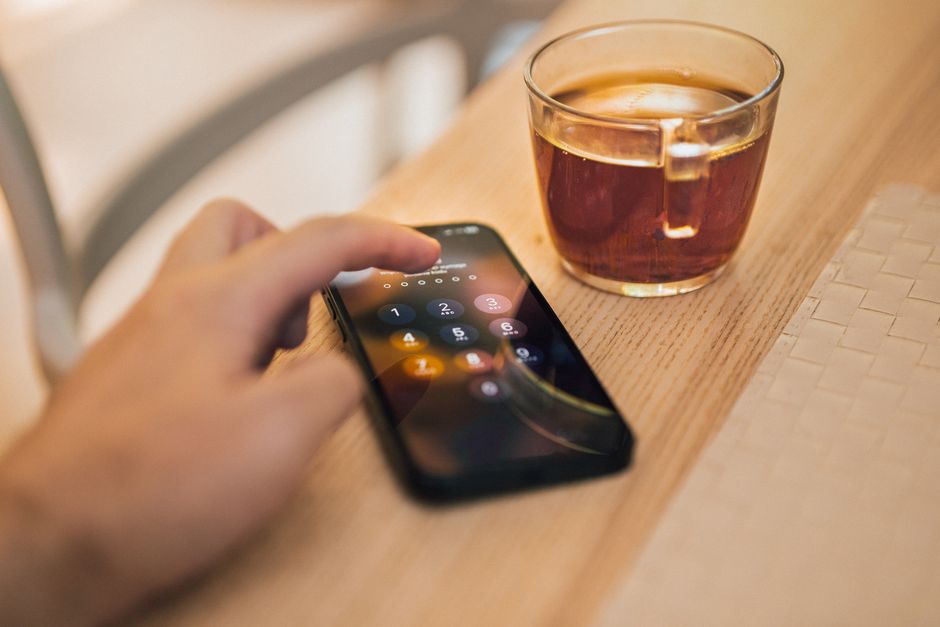
Step-by-Step Guide to Locking Down Your Mobile Carrier
You cannot stop criminals from trying to steal your identity, but you can make it exceptionally difficult for them to hijack your phone number. Let’s lock down your carrier account right now before it’s too late.
Step 1: Set up a verbal password or PIN. Call your mobile carrier’s customer service department today. Demand that they add an extra layer of security to your account. This is not the PIN you use to unlock your phone screen; this is a strict alphanumeric passcode that must be spoken or typed before any representative can make changes, process upgrades, or port out your number.
Step 2: Enable port freezes and transfer locks. Major carriers like Verizon, AT&T, and T-Mobile offer internal flags that prevent your number from being ported to another carrier without explicit, in-person verification or advanced secondary authorization. Ask the representative to lock your profile completely.
Step 3: Restrict account access methods. Instruct your carrier that no changes can be made over the phone or via automated chat bots. If modifications are required, force them to require a physical visit to a brick-and-mortar retail store carrying a government-issued photo ID that matches the account holder’s name.
Hardening Your Financial Accounts Against SIM Hijacks
Securing your carrier is only half the battle. You must also sever the umbilical cord between your phone number and your financial life. Guidelines from the National Institute of Standards and Technology consistently warn against relying on phone-number-based verification for high-value assets.
Here is your financial lockdown checklist:
- Purge SMS 2FA everywhere possible: Go through your bank accounts, investment portfolios, and email logins. Turn off SMS-based authentication wherever an alternative exists.
- Adopt hardware security keys: Invest in physical FIDO2-compliant security keys like a YubiKey. These devices require a physical touch to authenticate, making remote SIM swaps completely useless.
- Use authenticator apps as a fallback: If hardware keys aren’t supported by a specific institution, use time-based one-time password (TOTP) apps like Aegis or Google Authenticator. They are tied to your specific device, not your cellular carrier account.
- Monitor your credit reports: Freeze your credit with all three major bureaus (Equifax, Experian, TransUnion). This prevents attackers from opening new credit lines even if they manage to breach your identity details.
The digital landscape is a battlefield, and complacency is a liability. By taking these aggressive proactive measures today, you render yourself an unprofitable target for modern cybercriminals. Stay vigilant.
Frequently Asked Questions
What are the immediate signs that I am a victim of a SIM swap?
The most glaring red flag is a sudden, unexplained loss of cellular service on your smartphone while nearby devices on the same network retain full signal. If your phone suddenly says “No Service” or fails to make calls and texts, and rebooting doesn’t fix it, contact your carrier immediately from a secure secondary device or landline.
Can attackers steal my money if they don’t have my bank password?
Usually, the attacker needs your initial login credentials, which they obtain through phishing emails, credential stuffing, or malware. However, once they have your password, the SIM swap acts as the master key that bypasses your bank’s SMS verification step to complete unauthorized money transfers or password resets.
Are prepaid mobile plans safer from SIM swapping?
Interestingly, some prepaid plans can occasionally be easier to compromise due to lax security protocols, while others offer robust online account protections. Regardless of whether you use a postpaid or prepaid carrier, the key is calling customer service to manually apply a strict account PIN and port-freeze restriction.
What should I do immediately if my phone number is hijacked?
Act with extreme urgency. Call your mobile carrier right away to report the unauthorized SIM swap, freeze the account, and reclaim your number. Simultaneously, contact your bank’s fraud department to freeze your accounts, change your compromised passwords from a secure device, and file a formal report with local law enforcement and the FTC.