Manual Budgeting Spreadsheets Vs Automated Apps: Which Is Better for You?
I’ve lost count of how many people have told me over the years, “I downloaded every finance app on the market, and I’m still broke.” Here’s the ugly truth: the app isn’t broken. Your psychology is just colliding with bad software. Or, you’re trying to force a rigid Excel grid onto a lifestyle that needs flexibility. Trust me on this—I’ve spent the last decade auditing my own finances through catastrophic spreadsheet crashes and automated apps that categorized my morning coffee as “business investment.” Neither method is a silver bullet. But one of them is probably the exact trap keeping you from building wealth.

- • The Seductive Illusion of Total Automation
- • Why the Humble Spreadsheet Still Refuses to Die
- • Feature Fatigue: When Less Is Actually More
- • Security, Privacy, and the Cost of Convenience
- • Choosing Your Weapon: Which Camp Do You Belong In?
- ↳ Are budgeting apps safe to use with my bank accounts?
- ↳ Can spreadsheets handle automatic transaction imports?
- ↳ Why do most people fail at budgeting regardless of the tool?
- ↳ How often should I review my budget?
Key Takeaways & Quick Overview
AI Verified
- ✔Manual budgeting spreadsheets vs automated apps: which is better for you? i’ve lost count of how many people have told me over the years, “i downloaded every finance app on the market, and i’m still broke.
- ✔” here’s the ugly truth: the app isn’t broken.
- ✔Your psychology is just colliding with bad software.
- ✔Or, you’re trying to force a rigid excel grid onto a lifestyle that needs flexibility.
The Seductive Illusion of Total Automation
Let’s talk about the automated route first. You link your checking account, credit cards, investment portfolios, and even your mortgage to a sleek dashboard. The promise is intoxicating. Set it and forget it. A glowing green circle tells you you’re under budget, and life goes on.
Except it doesn’t.
According to data from the Consumer Financial Protection Bureau study on consumer habits, passive tracking often leads to a false sense of security. You swipe your card, the app logs the transaction three days later, and by then, the damage is done. Automation removes the friction. And friction, contrary to modern Silicon Valley dogma, is actually good for you. When you don’t feel the sting of data entry, spending becomes invisible. I’ve watched friends rack up hundreds in impulse purchases simply because the app didn’t scream loud enough in real-time.
Why the Humble Spreadsheet Still Refuses to Die
Then there is the spreadsheet. Google Sheets or Microsoft Excel. No shiny UI, no push notifications telling you that you spent 40% more on dining out this week. Just rows, columns, and brutal, unvarnished reality.
When you sit down every Sunday morning to manually input every receipt, transfer, and forgotten cash withdrawal, something psychological happens. You are forced to look the dragon in the eye. You remember that $85 dinner you didn’t even enjoy. You remember the ridiculous impulse buy off Instagram. Behavioral economics research consistently shows that manual friction increases cognitive engagement with the task at hand. You aren’t just categorizing numbers; you are feeling them.
Downsides? Oh, they exist. If your formulas break, your whole month’s data goes sideways. It takes time. Discipline. A willingness to stare at a glowing grid when you’d rather be watching Netflix. But for anyone serious about getting a grip on their money, that pain is the point.
Feature Fatigue: When Less Is Actually More
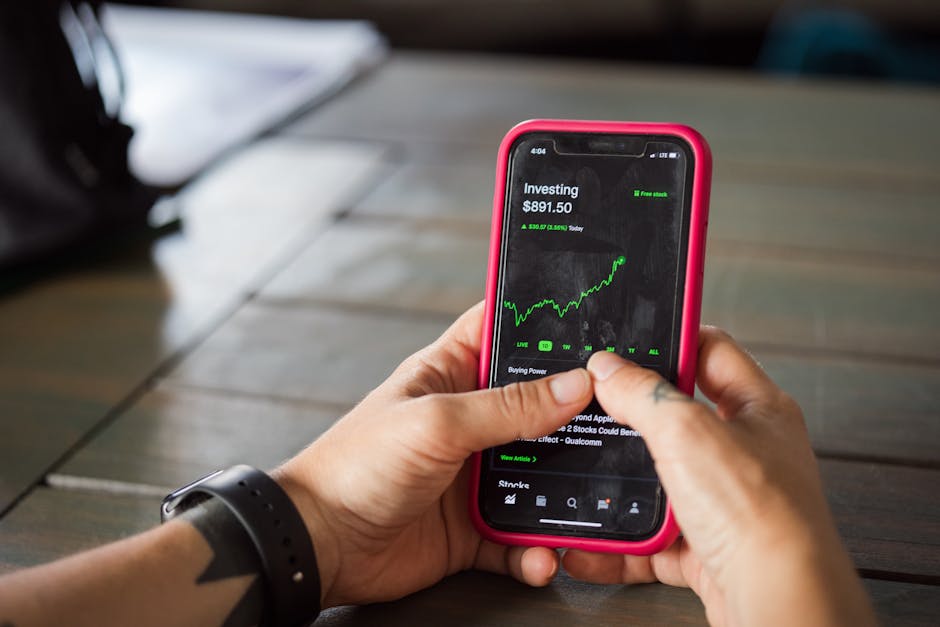
Look at the landscape of personal finance tools today. You can get apps that track your net worth down to the penny, predict your cash flow six months out, and send passive-aggressive text messages when you buy a burrito. It’s too much.
Feature fatigue kills consistency. If an app requires a master’s degree in data science just to set up a category for groceries, you’re going to abandon it by month two. The best system is the one you will actually use when you’re tired, stressed, and staring at your bank balance on a Tuesday night. Sometimes, a simple three-column spreadsheet—Income, Fixed Expenses, Variable Spending—beats a $12-a-month subscription service packed with features you never touch.
Security, Privacy, and the Cost of Convenience
We need to address the elephant in the room: credentials. To make automated apps work, you usually have to hand over your bank login details to a third-party aggregator. Sure, they use bank-level encryption. But breaches happen. Data gets sold, pooled, or analyzed.
When you build your own spreadsheet, your data lives where you put it. No servers in the cloud scraping your transaction history to sell you targeted loans. If privacy matters to you—and in this day and age, it really should—the manual approach wins hands down. You trade convenience for absolute control.
Choosing Your Weapon: Which Camp Do You Belong In?
So, where do you fall in the manual budgeting spreadsheets vs automated apps debate? Let’s keep it brutally simple.
Go with a manual spreadsheet if: You have a history of mindless spending, you deeply value data privacy, your income is irregular (freelance or commission-based), and you actually enjoy tinkering with formulas. It forces accountability.
Go with an automated app if: You have dozens of recurring transactions across multiple accounts, your income and spending are steady and predictable, and your biggest enemy is simply forgetting to log things rather than reckless spending.
Personally? I use a hybrid approach. I let an app handle the high-level macro tracking—net worth, investment growth, and long-term asset allocation. But for the day-to-day cash flow? The grocery runs, the coffee, the discretionary blow money? That goes into my own custom spreadsheet every single weekend. Find the friction that works for you, embrace the discipline, and stop looking for a software update to fix your spending habits.
Frequently Asked Questions
Are budgeting apps safe to use with my bank accounts?
Most reputable finance apps use read-only access and high-level encryption (like 256-bit SSL). However, they still require you to share credentials with aggregators, which introduces a minor third-party risk that local spreadsheets completely avoid.
Can spreadsheets handle automatic transaction imports?
Yes. You can use tools like Plaid integrations, browser extensions, or bank CSV downloads to pull transactions directly into Google Sheets or Excel, though it requires some initial setup compared to plug-and-play apps.
Why do most people fail at budgeting regardless of the tool?
Because they treat budgeting like a diet instead of a lifestyle. No app or spreadsheet can fix a spending plan that doesn’t align with your actual values and core priorities.
How often should I review my budget?
At a minimum, do a micro-review once a week (taking 5 to 10 minutes) and a macro-review once a month to adjust your targets based on life changes.